
Screens and Figma import
Get screens into an AI study: image uploads, Figma frame import, website captures, and reuse from another AI study.
AI studies evaluate screens — static images of your design. Every block in the study runs against the study's screen set, and findings reference the specific screens they affect, so name your screens meaningfully ("Checkout — payment step", not "Frame 412").
Adding screens
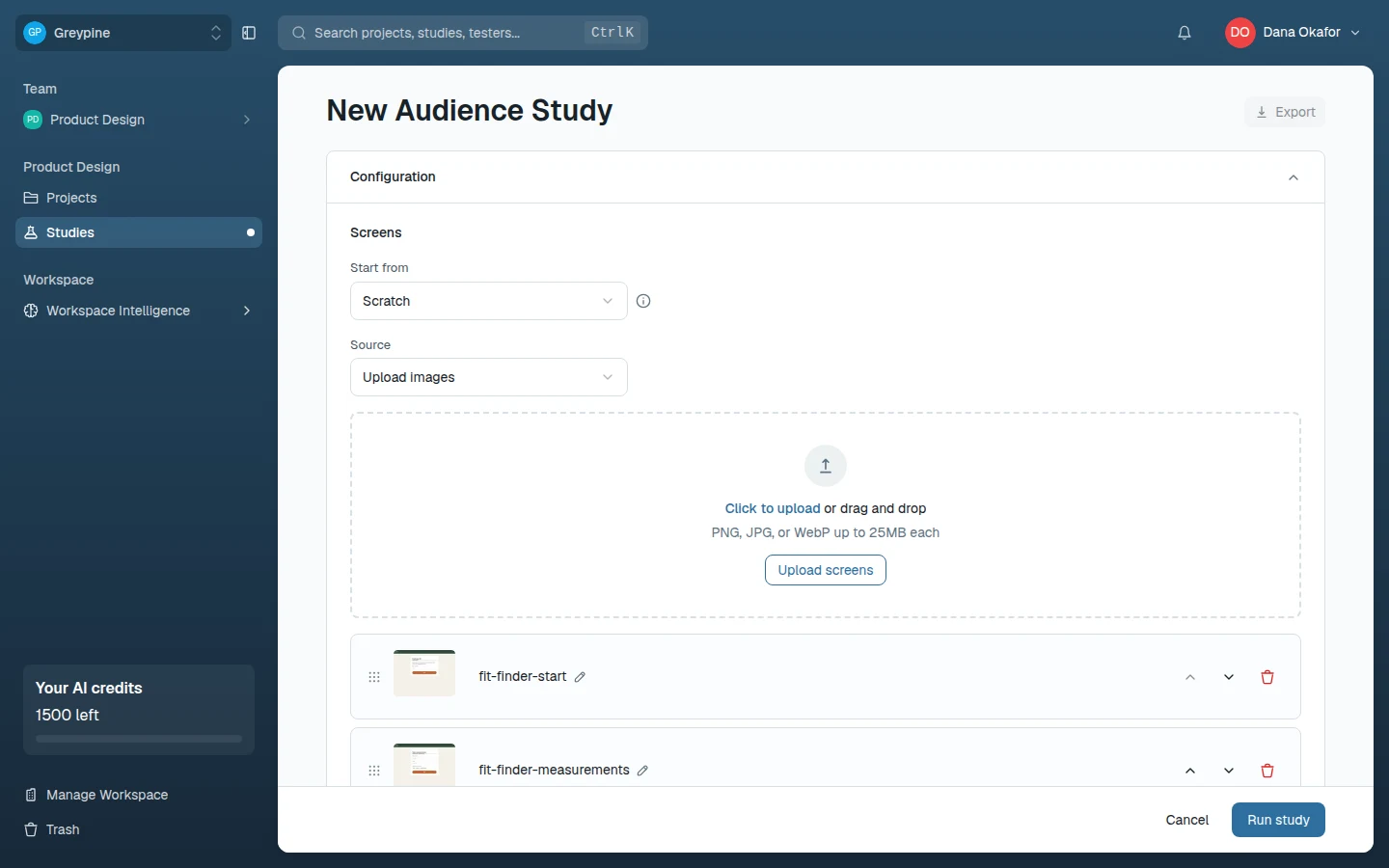
Pick a Source in the study's configuration panel. There are three:
- Upload images — drop in PNG, JPG, or WebP files (up to 25MB each). The fastest path when you have exports lying around.
- Figma snapshot — import frames straight from a Figma file; see below.
- Website capture — capture a screen from a live URL.
A source that isn't available yet is marked Coming soon.
If the project already has another AI study, Start from can copy that study's source, screens, and audiences into this one instead of re-adding the same images.
Screens can be renamed and reordered after adding, and selecting a thumbnail opens a larger preview; blocks that point at a specific screen (first click, design comparison) pick from this list.
Importing from Figma
The first time you pick Figma snapshot, select Connect Figma to authorize your Figma account (you're sent to Figma to approve access and brought back to the study — no tokens to paste). Once connected:
- In Figma, right-click a frame and choose Copy link to selection (design and prototype links both work).
- Paste it into the Figma link field and select Import.
- The frame is rendered and imported as a screen, named after the Figma frame.
The connection is per CustomTester account and can be reused across studies. If an import fails right after connecting, the link usually points at a file your Figma account can't access — open it in Figma first to check.
Website captures
Enter a public web address, select Capture, and CustomTester captures the page as a screen. Captures are a snapshot — if the page changes, the screen doesn't. For pages behind login, capture manually and upload instead.