
Use study blocks
The building blocks of a study: usability tests, card sorts, surveys, and question blocks — and when to use each.
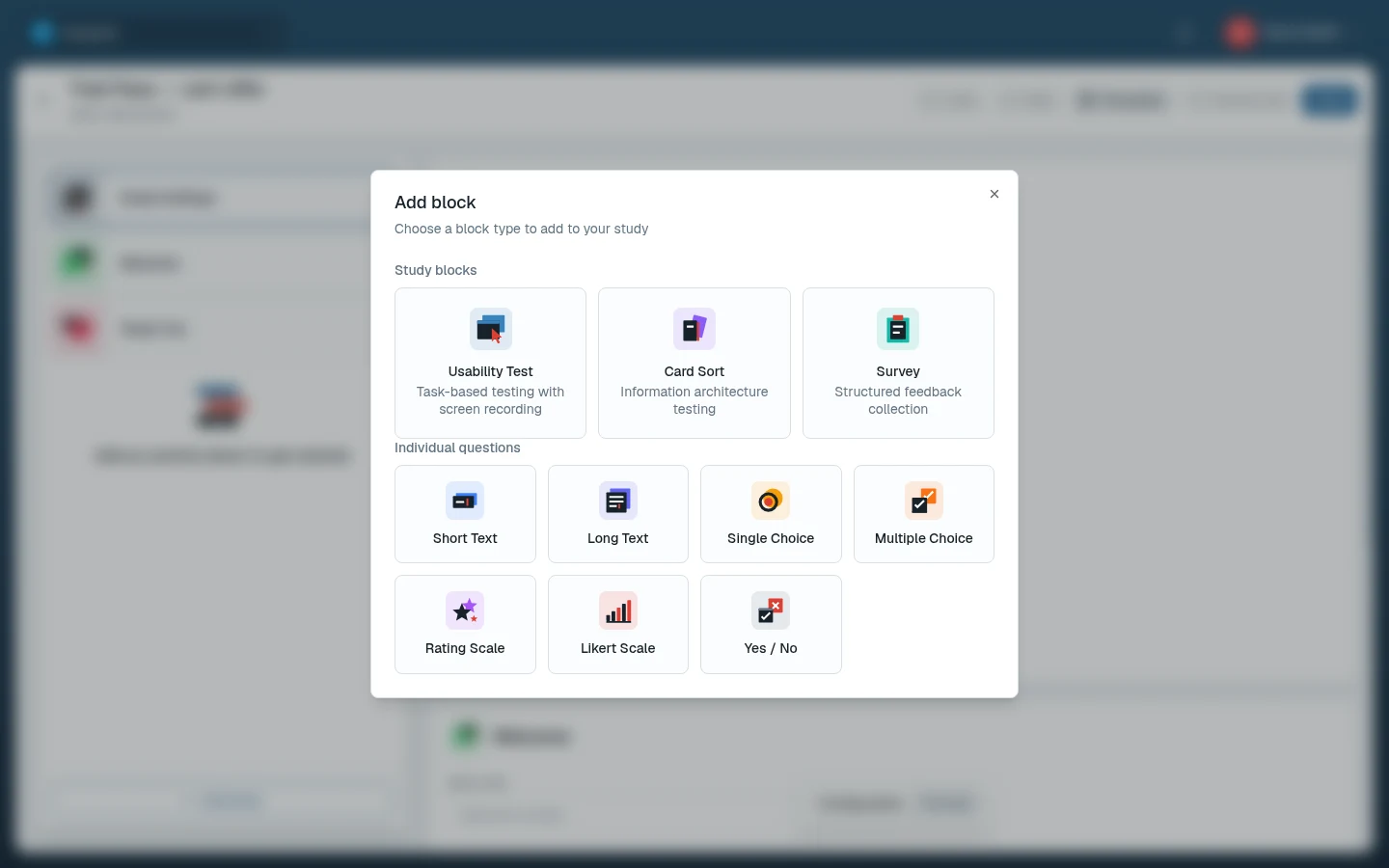
Blocks are the units a study is made of. Mix and match them freely: a typical study might open with a few survey questions, run a usability test, and close with a rating question. Each block type has its own page in this section with the full configuration reference.
The block types
| Block | What it does | Details |
|---|---|---|
| Usability test | Testers work through tasks on a prototype or live website while their screen and microphone are recorded | Usability tests |
| Card sort | Testers sort cards into categories — open, closed, or hybrid | Card sorts |
| Survey | A sequence of questions in one block, seven question types | Surveys |
| Question | One standalone question as its own block — added from Individual questions in the Add block dialog | Question blocks |
Choosing the right block
- Watch people use something → usability test.
- Learn how people group or label things → card sort.
- Ask several related questions → survey.
- Ask one question at a specific moment → question block.
- No testers available yet → run an AI study as a first pass.
Common block settings
Every block, regardless of type, has:
- Block title — shown to testers as the block's name. Launch is refused while it's blank (see configuration errors).
- Required checkbox — on by default for every new block.
- Position — blocks run in the order shown in the builder's rail; drag to reorder.
Optional blocks
Untick Required to make a block optional. Testers see "This step is optional." above it with a Skip button. A skipped block records no answer, and its results only count testers who completed it.
In this section
- Usability test blocks
Point testers at a prototype or website, walk them through tasks and follow-up questions, and record their screen and microphone.
- Card sort blocks
Open, closed, and hybrid card sorts: define cards and categories, write instructions, and read the agreement results.
- Survey blocks
Build multi-question surveys: the seven question types, required questions, and a welcome message.
- Question blocks
A single standalone question as its own block — every survey question type, placed exactly where you need it.
Related docs
- Create and configure a study
Set up a new study inside a project, name it, and arrange its blocks in the study builder.
- Preview, launch, and share studies
Try your study as a tester, launch it when it's ready, invite testers, and end it when you have enough sessions.
- The tester experience
Study links, My Tests, the welcome and setup screens, recording permissions, completing activities, and finishing a session.