
Billing and plans
How plans, seats, and billing terms work, and where to change or cancel your subscription.
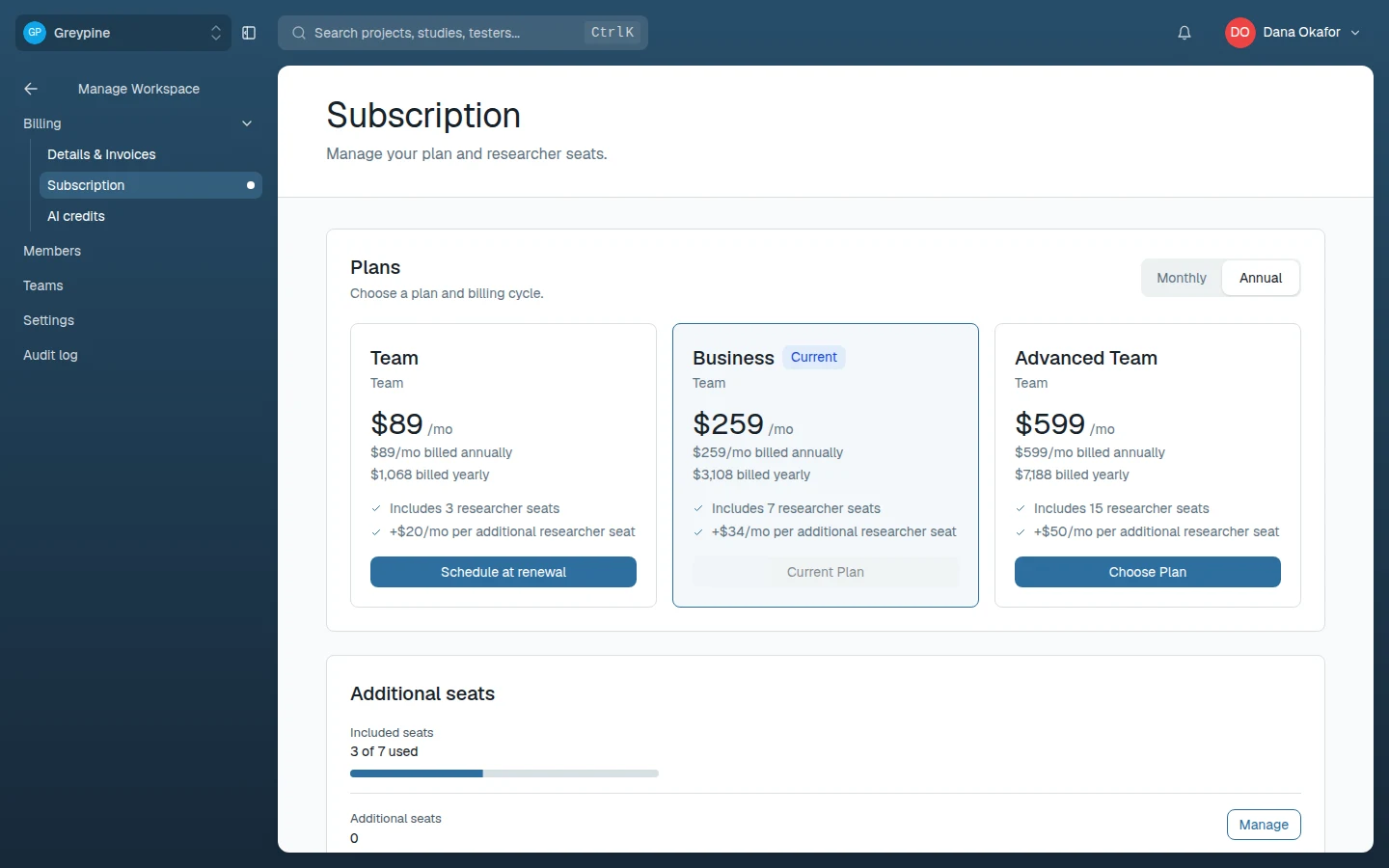
Plans are set per workspace under Manage Workspace → Billing, which has three pages: Subscription (plan, billing cycle, and researcher seats), AI credits, and Details & Invoices (payment method, billing email, and invoice PDFs). Personal plans (Starter, Pro, Advanced) cover a single researcher; team plans (Team, Business, Advanced Team) add shared workspaces, more included seats, and Workspace Intelligence capacity.
This section covers the details:
- Plans and pricing — every plan, every billing term, and researcher seats.
- Plan limits — how many projects, studies, audiences, and other resources each plan allows.
- Manage your subscription — upgrades, downgrades, seat changes, and cancellation.
Seats
Researcher seats are what you pay for. Every plan includes a number of researcher seats, and team plans can add more at a per-seat monthly price that depends on the billing term. Tester seats are separate and don't count against researcher seats — see Participants.
AI credits
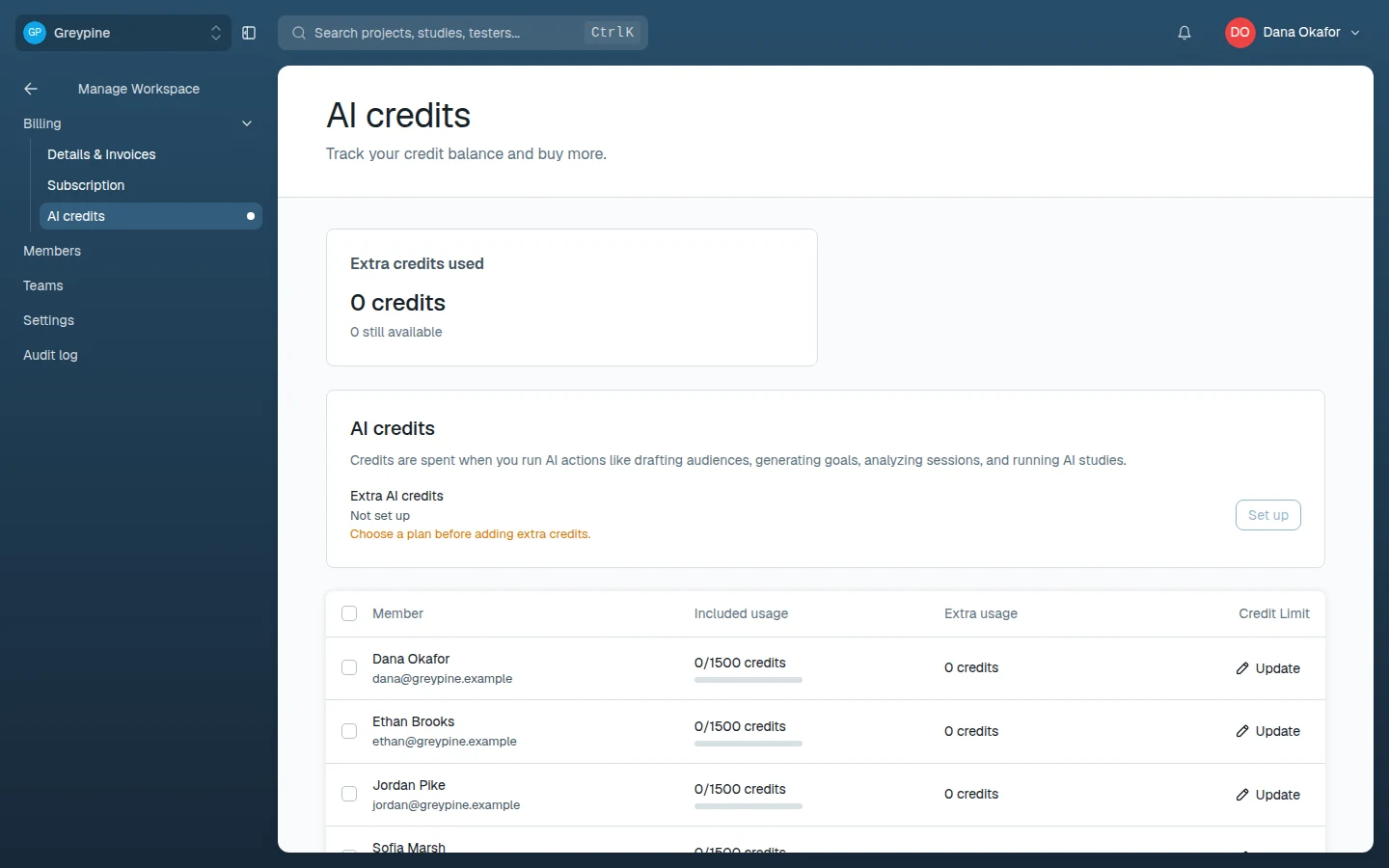
AI actions — drafting audiences, generating goals, analyzing sessions, and running AI studies — spend AI credits. Every plan includes a monthly allowance per researcher, and credits aren't pooled: each researcher spends their own allowance. Track your own spending under Your AI credits in the sidebar.
Admins manage the workspace's credits under Manage Workspace → Billing → AI credits, which shows each member's usage. For credits beyond the included allowance, a workspace with an active paid plan can set up Extra AI credits in one of two ways:
- Extra credits each month — a set amount every month. Monthly plans are charged monthly; annual plans are charged once for the rest of the term. Credits arrive monthly and don't carry over.
- Pay as you go — no commitment; credits used beyond the allowance are billed on your next invoice.
Admins can also cap how many extra credits an individual member may spend each billing cycle. When someone runs out, the app offers to add credits or upgrade the plan.
In this section
- Plans and pricing
Every CustomTester plan and billing term, with included researcher seats and additional seat pricing.
- Plan limits
How many projects, studies, audiences, competitors, evidence items, and products each plan allows — and what happens at the limit.
- Manage your subscription
Upgrades, downgrades, term changes, seat changes, and cancellation — what applies immediately and what waits for renewal.