
Audiences
Describe your user groups in structured sections — built by hand or extracted from uploaded persona documents — and power audience-mode AI studies.
An audience describes one user group — the people, not the product. Audiences are what audience-mode AI studies simulate, so the quality of their content directly sets the quality of those results.
Sections
An audience is built from typed sections, each holding a list of items. The canonical section types:
- Who they are — Demographics / Firmographics, Knowledge Level, Buying Influence, Accessibility Needs.
- What drives them — Goals, Motivations, Pain Points, Frustrations, Decision Criteria.
- What they do — Common Tasks, Behaviors, Tools They Use.
- Grounding — Quotes, Research Evidence, Notes.
Each canonical type appears at most once per audience; Custom Section entries are repeatable and take any title. You don't need every section — a sharp audience with five filled sections beats a complete one padded with guesses.
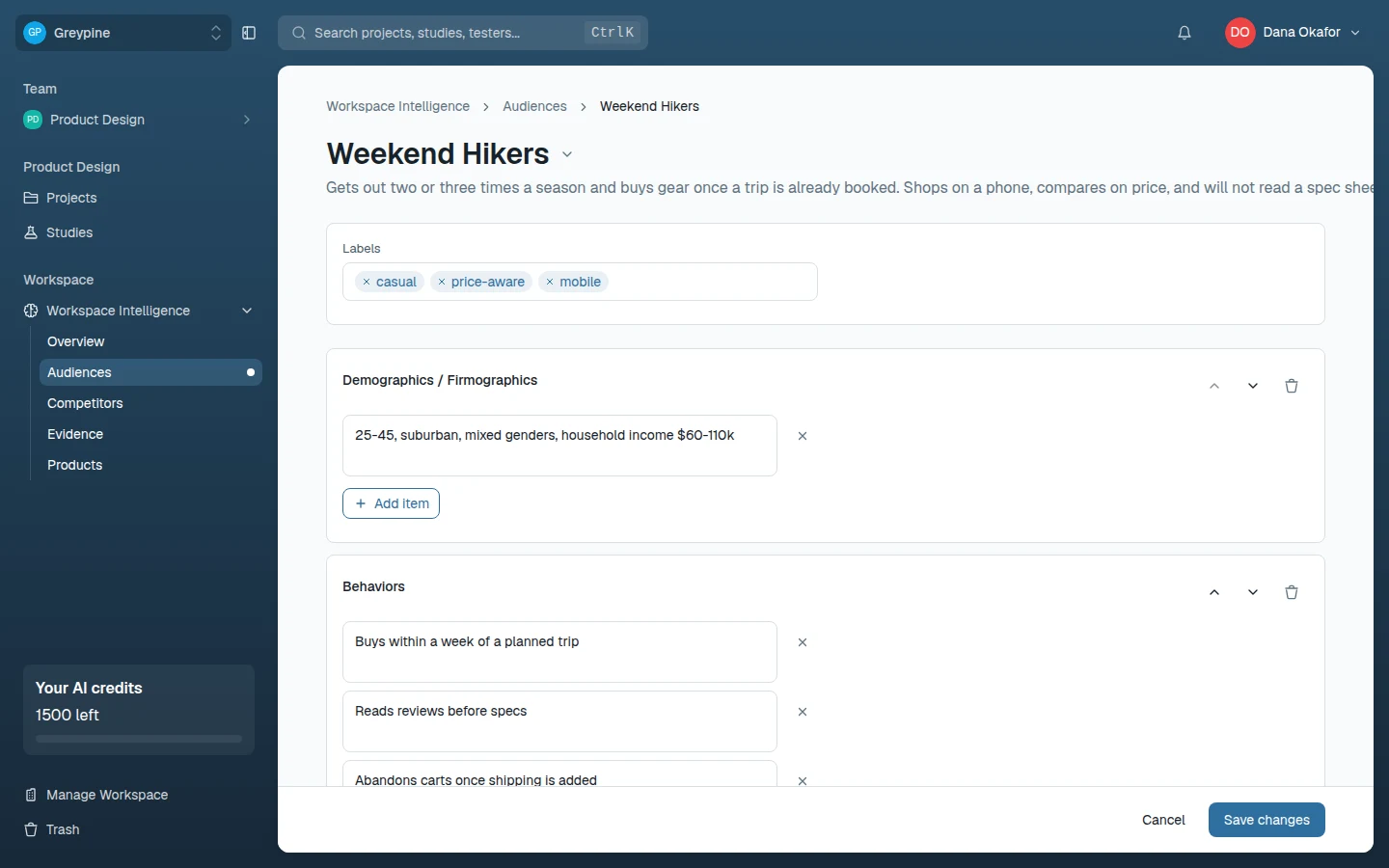
Building an audience
Two paths, both under New audience:
- Start from scratch — name the audience, add sections, write items. Best when the knowledge lives in your team's heads.
- Generate from upload — upload existing research (PDFs, docs, slides, spreadsheets, or images; up to 5 files, 50MB total) and CustomTester drafts the audience's sections with AI, using AI credits. The draft maps loose headings onto the canonical types — "Barriers" becomes Frustrations, "Firmographics" becomes Demographics — and anything unrecognized lands in a Custom section. Review the draft before saving; extraction is a head start, not a source of truth.
Summary
An audience can carry a short summary (the Summary / Description field) — the one-paragraph version shown in the audience list, where the full section list is too much. AI features serialize the whole profile, summary included, so the summary is mainly for humans scanning lists.
Where audiences are used
Related docs
- Workspace Intelligence and audiences
Give the AI features durable context about your product, competitors, target audiences, and research evidence.
- Audience study blocks
The five audience-mode evaluations: first impression, persona reaction, task walkthrough, first click, and design comparison.
- Evidence
Store research findings as durable evidence items, linked to the audiences, products, and competitors they're about.